Parents
No app to install —
what your child learned arrives.
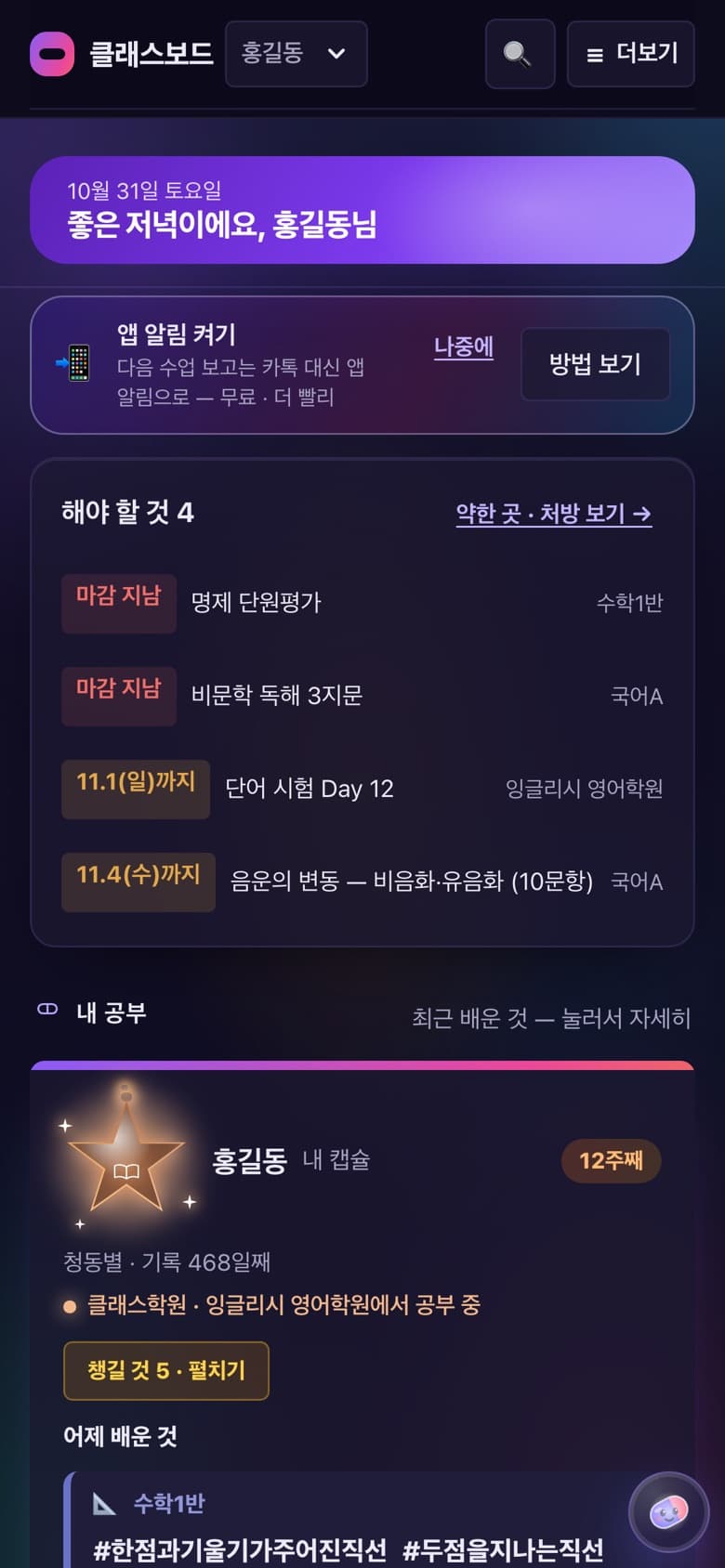
After every class, teachers record attendance, what was learned, homework and scores, and it all builds up in the child's capsule.Parents see it as is on their phone.
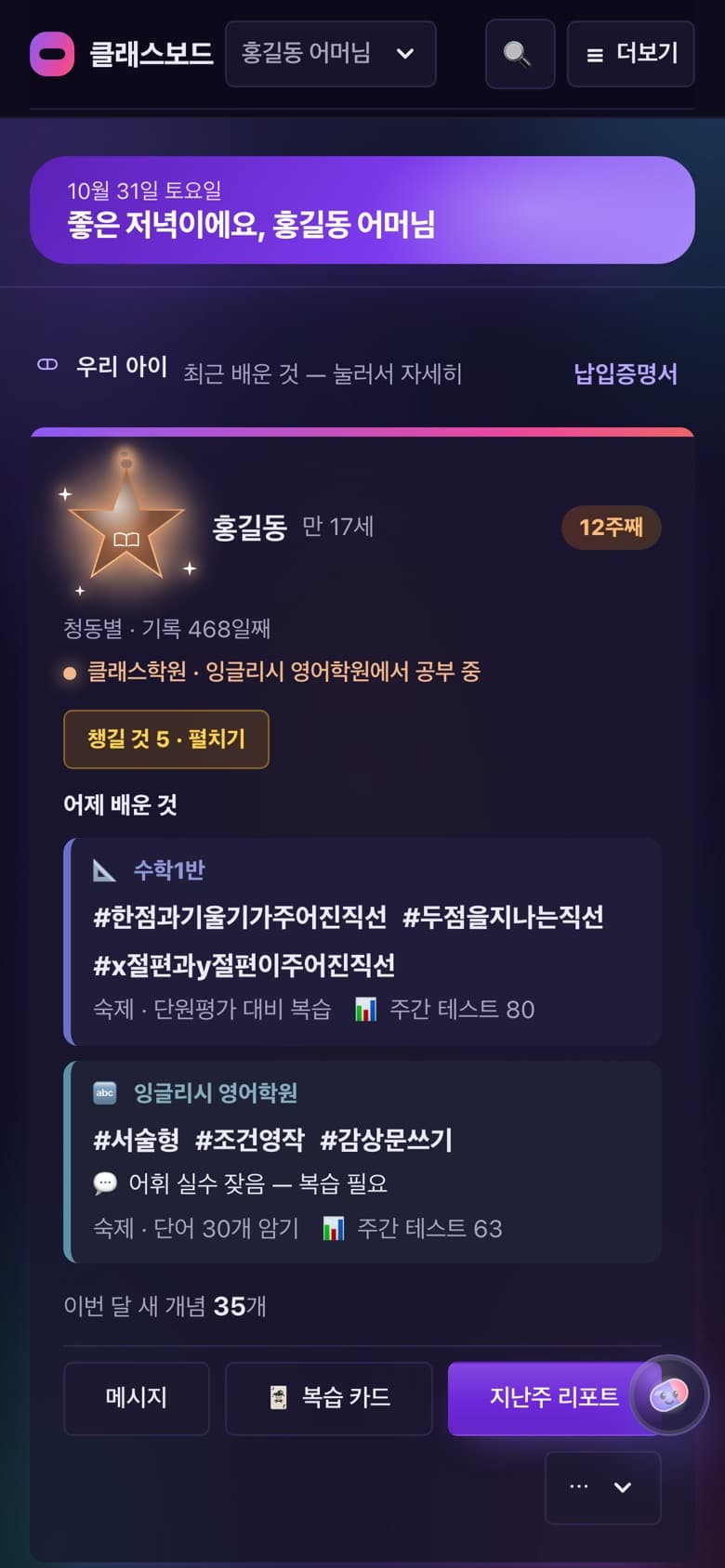
A DAY
What parents see
- 1
First time
Signing in
One text verification with the number the hagwon entered.The child's capsule appears on its own — nothing else to do.
- 2
Daily
What was learned
Teachers' records by date and by subject, with score trends and homework.
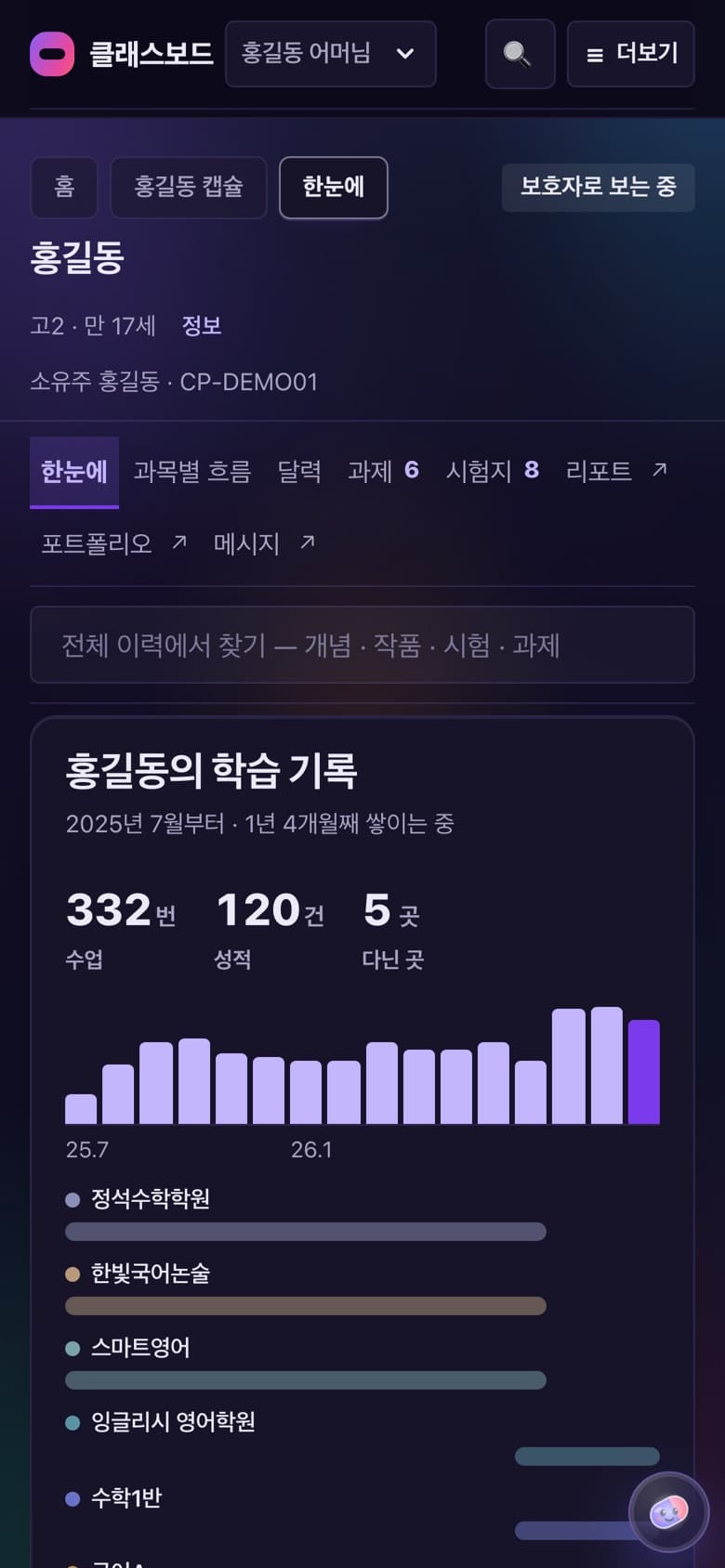
- 3
Weekly
Last week's report
Switch between 1 week, 2 weeks and 1 month, and print or save as PDF to keep.
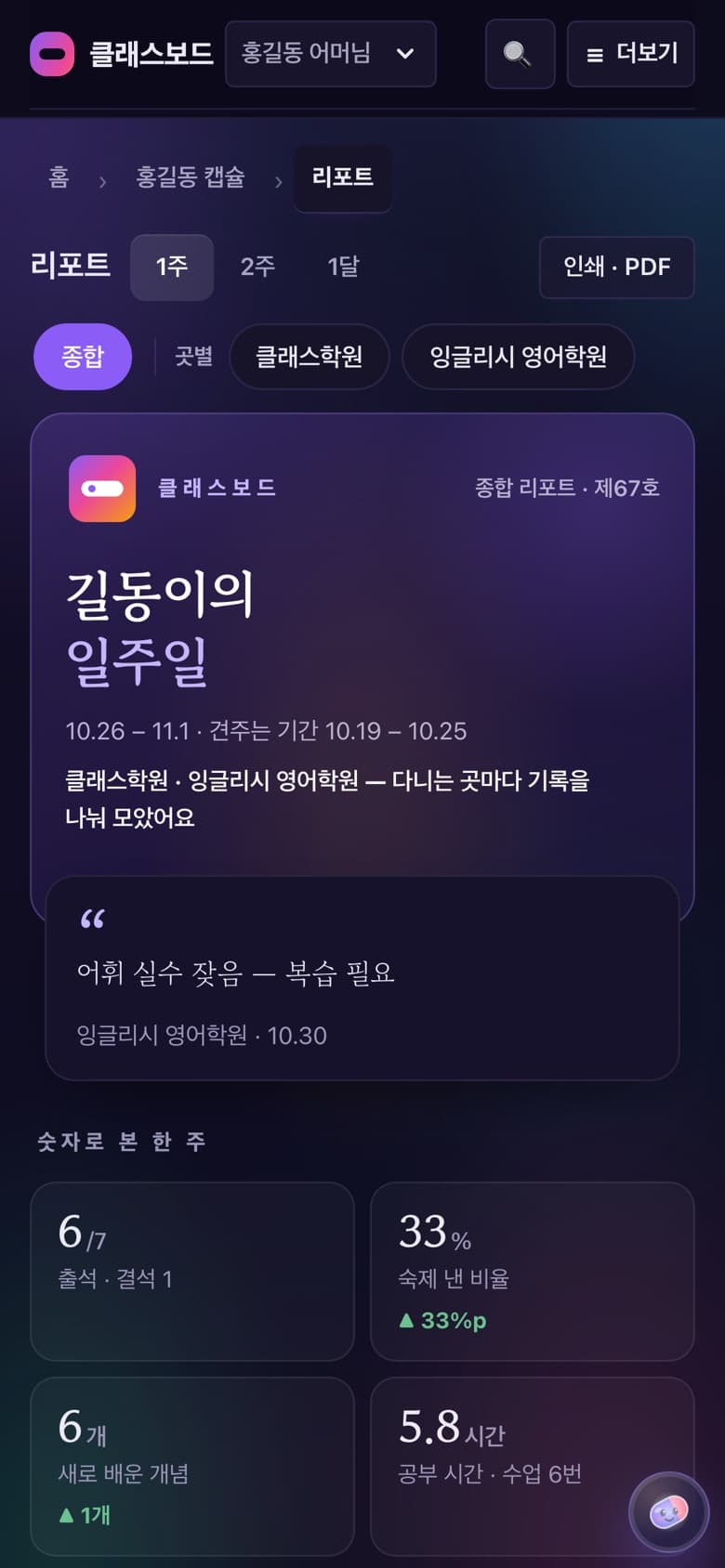
- 4
When needed
Messages with the hagwon
Report an absence in advance or ask a question.The office staff receive and reply.
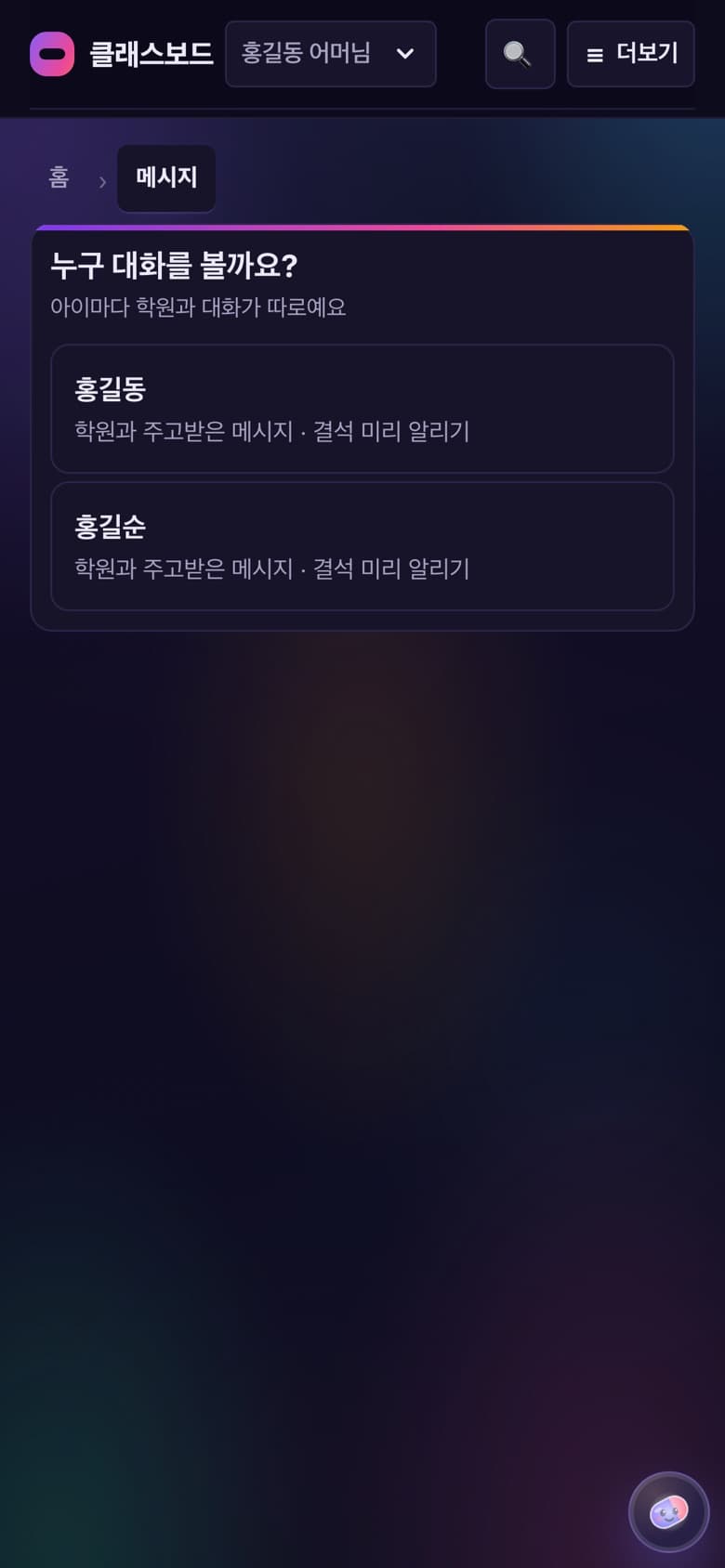
FEATURES
On the parent screen
My child's card
Current hagwon and class, days of records, things to prepare and today's learning.
Homework and tests
To-dos and score trends.
Payment certificate
Tuition paid for a chosen period, printed or as PDF (for year-end tax settlement).
Leaving
Tell the hagwon from the child's card.Everything recorded stays in the capsule.
Two children, or Dad too
Same number, two cards.Give Dad's number to the hagwon and he sees it right away.
Review cards · 「This month's growth」
PremiumLearned concepts again as cards.
CAPSULE
The capsule grows
as records build up.
Capsule
Start
Change hagwons, the record is still the child's
- 1
Change hagwons or classes, and the capsule follows the child.
- 2
Leaving only stops new records there — everything so far stays in the capsule.
- 3
The hagwon keeps only name, attendance period and payment records, as the Hagwon Act requires.
See other screens
ClassBoard,
for your hagwon too.
Leave your details and we'll be in touch.
Contact us