CEO
Your numbers,
straight from the ledger.
Business overview, daily enrollment and payroll approval — gathered from the office ledger with nothing typed by hand.One screen, even with several branches.

A DAY
A CEO's day
- 1
Morning
Business overview
Key figures and five-month revenue by branch, plus alerts — rising receivables, low collection rate, a wave of withdrawals, payroll awaiting approval.

- 2
Daily
Daily enrollment
By grade: enrolled yesterday and today, new, on leave, withdrawn, this month's trend and reasons for leaving.The table you used to get over KakaoTalk is built every day on its own.

- 3
When needed
Roles
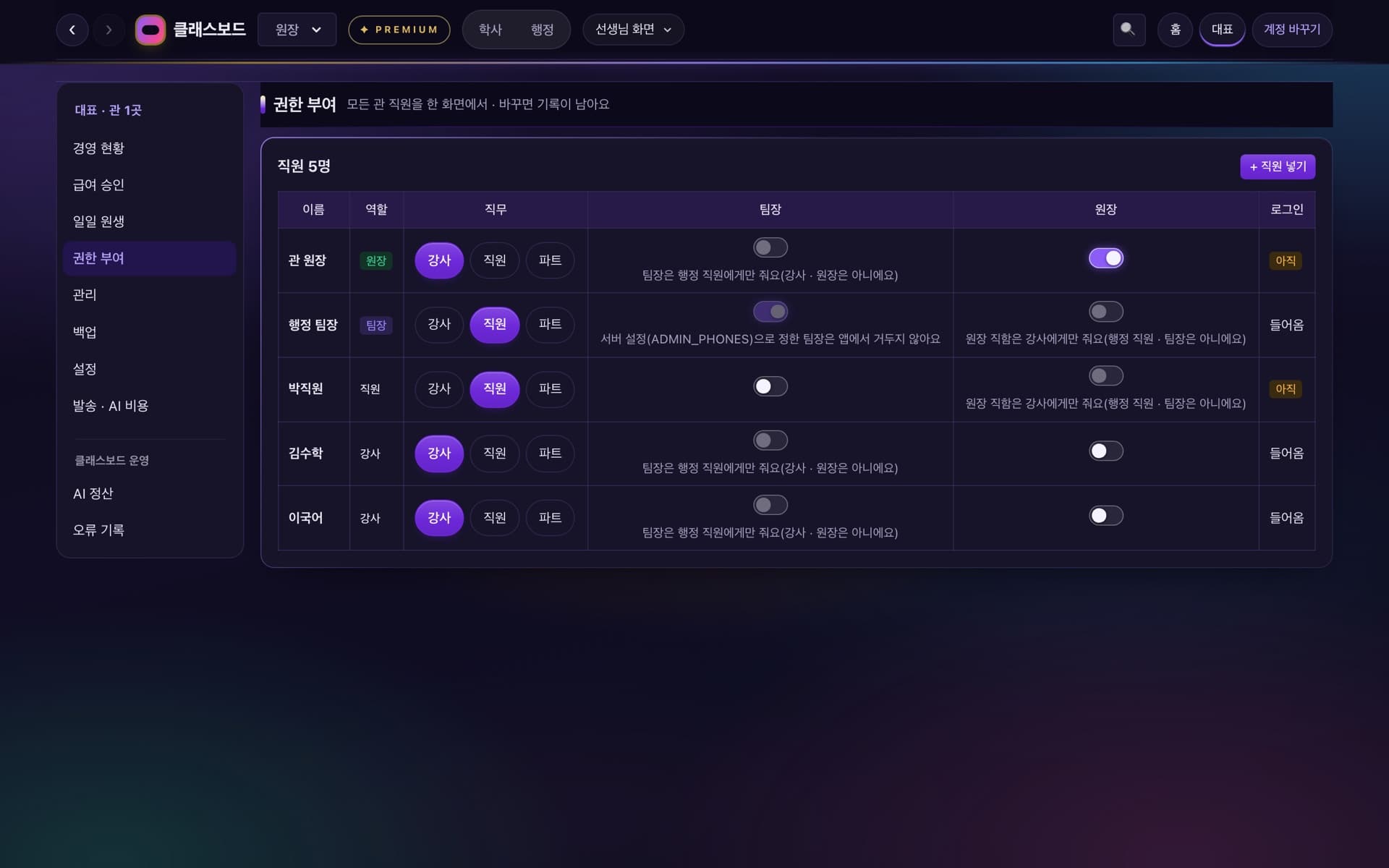
Every staff member's role and sign-in status in one table.Only the CEO grants the director and team-lead titles.
FEATURES
On the CEO screen
Payroll approval
Review each person's gross pay, deductions, tax, net pay and change from last month, then [Approve and get pay slips] or [Ask the team lead].
Monthly analysis
By branch, a one-year table and Excel download.Every figure fills in from the ledger.
Management
Branch cards (business info, classes, students, staff, setup status) and a staff roster across branches.
Settings
4-week billing, absence extensions and pay rules in one place.
Usage
KakaoTalk notices, texts, app notifications and AI by month and branch.
Several branches
Each branch runs on its own; the CEO screen opens without picking one.
The CEO only approves
- 1
The team lead settles teacher pay and sends it up; the CEO approves.
- 2
The office handles enrollment, payments and class placement; teachers keep the lesson records.
- 3
Only the CEO grants the director and team-lead titles.
See other screens




ClassBoard,
for your hagwon too.
Leave your details and we'll be in touch.
Contact us